Know your AI limit
before it breaks your flow.
RunDog turns your remaining Claude and Codex quota into a tiny runner in the Mac menu bar: free, private, and always visible.
macOS 14 or later · Apple Silicon and Intel


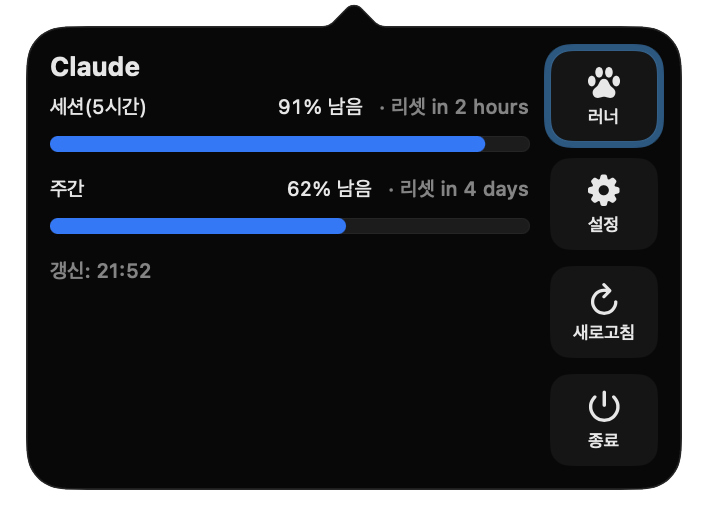
Less quota. Faster runner.
It strolls when you have plenty, speeds up as quota runs low, and sleeps until reset when you hit the limit. You can read the situation without opening a dashboard.
Your notch becomes a battery gauge
Battery level glows along the edge of the MacBook notch. A light flows while charging, and you can pick standard, custom, rainbow or random colors. Hidden automatically on Macs without a notch.
Updates automatically, refreshes on demand
Usage refreshes every 60 seconds, or instantly with Refresh. Switch accounts from the account menu, and new versions install in place.
A runner for status and personality
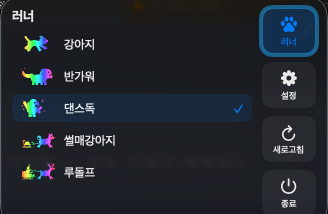
Pick from eight runners and watch it react to what you have left: an easy stroll while usage is plentiful, faster in stages as it runs low, and asleep when you hit the limit.
Make it yours in the menu bar
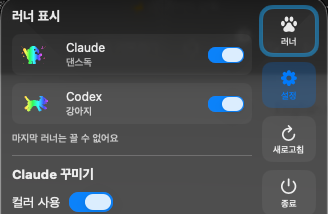
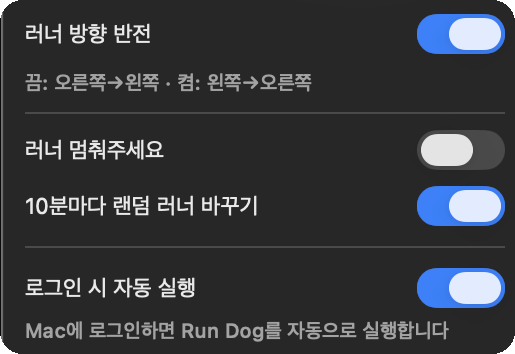
Toggle the Claude and Codex runners separately, then tint them with the rainbow, thirteen colors, a preset that follows your macOS accent color, or your own hex code. You can flip the running direction too.
System info at a glance
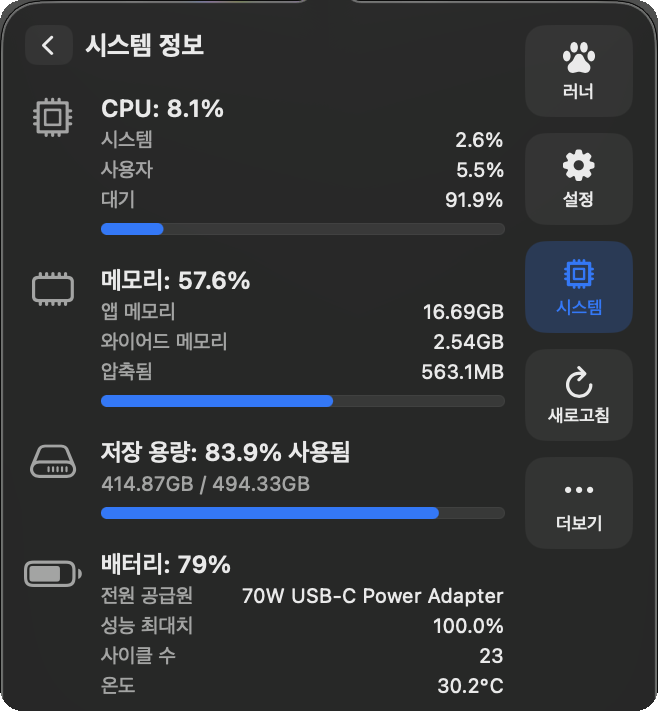
Check CPU, memory, storage, battery, and network status in the System tab of the RunDog Settings window. Turn on only the items you want to see.
Let it rest, or swap it every 10 minutes
Stop the runner to hold it still for a while, or turn on random runner changes and a different runner takes over every 10 minutes. Open at Login and runner visibility live in the RunDog Settings window.
- FreeAvailable on the Mac App Store
- No app data collectedNo analytics or tracking SDK
- Mac KeychainSign-in tokens stay on your device
- UniversalApple Silicon · Intel
Runner speed and usage
A faster runner means less usage remains.
As it slows, more usage is available; when it stops, the limit has been reached.
- Running fast Low usage remaining
- Running slowly More usage available
- Stopped Limit reached
It shows your quota without collecting your data.
The RunDog app contains no analytics, advertising, or tracking SDK. Sign-in tokens stay in the macOS Keychain, and usage travels directly between your Mac and each provider without a RunDog server in the middle.
Get RunDog Free on the Mac App Store- Sign-in tokens
- Mac Keychain
- Usage requests
- Direct to Claude and Codex
- Sent to the developer
- Nothing
- App analytics or tracking
- None
Start on the Mac App Store
From Get to connected account, your quota can be running in the menu bar in about a minute.
-
Get RunDog free on the Mac App Store
Press Get on the RunDog product page. Apple handles installation and updates.

-
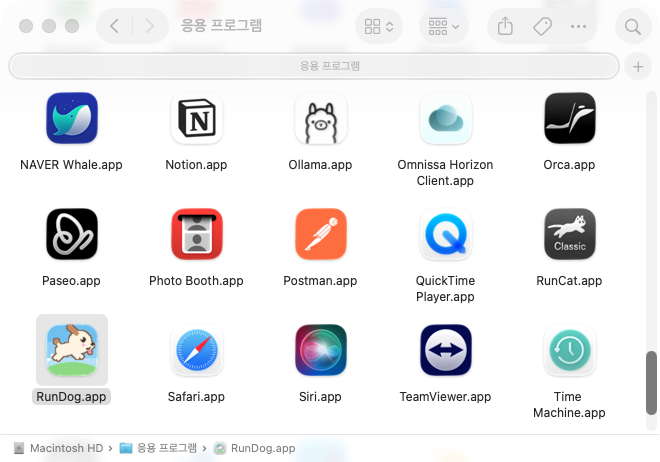
Open RunDog
Press Open in the App Store, or launch RunDog from Applications. When the runner appears in your menu bar, installation is complete.
-
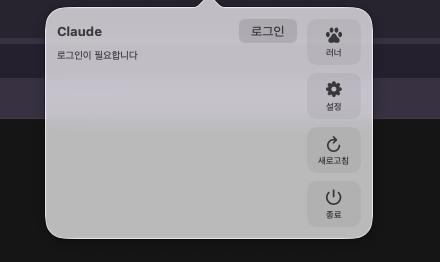
Click the runner in the menu bar and log in
Click the runner icon to open the popover, then press the Log in button. Your browser opens the approval page.
-
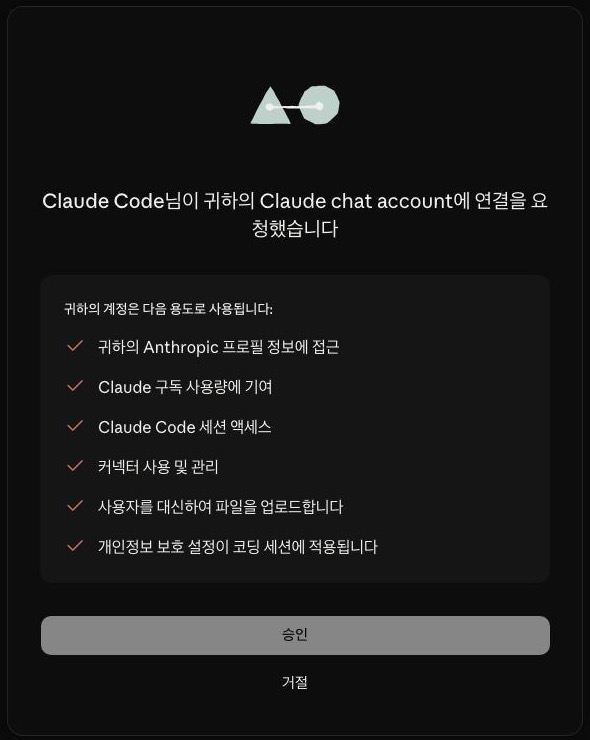
Approve in the browser and copy the code
Press Authorize, and a code appears on the page. Copy it.
-
Click the runner again and paste the code
Reopen the popover — the input field is waiting right where you left it. Paste the code and press Confirm to finish logging in.
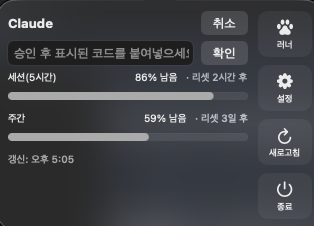
OpenAI Codex (ChatGPT) logs in automatically after browser approval — no code pasting needed.
Frequently asked questions
- What is RunDog?
- RunDog is a free macOS menu bar app that shows remaining Claude and OpenAI Codex (ChatGPT) subscription usage and reset times.
- Is RunDog the same app as RunCat?
- No. RunDog pays tribute to RunCat's menu bar runner concept, but it is an independent app built to monitor Claude and Codex usage.
- What is the notch battery ring?
- A light along the edge of the MacBook notch that shows battery level. It flows while charging, and you can pick standard, custom, rainbow or random colors. It turns on for MacBooks with a notch (MacBook Pro from 2021, MacBook Air from M2) and stays hidden on other Macs.
- Can I make my own runner?
- Yes. Open Create Runner at the bottom of the runner list and pick PNG frames (36px tall, 10 to 100px wide); your runner then runs in the menu bar. Keep the image colors or apply color presets and rainbow, its running speed is saved, and you remove runners from the same window.
- Which Macs can run RunDog?
- RunDog supports Apple Silicon and Intel Macs running macOS 14 or later.
Understand your quota before it interrupts you
Inspired by RunCat's menu bar runner, rebuilt for AI quota.
RunDog is a solo project using AI technology to bring happiness to underserved communities. Installation and privacy come first. If you want to help fund the project after trying it, the support link is here.
Let the dog warn you before the next quota wall.
Install for free and keep Claude and Codex usage visible in your menu bar.
Get RunDog Free on the Mac App StoreRelease notes
| Update details | Update date | Version |
|---|---|---|
| Optional system menu bar items, seven refreshed runners, and settings and battery icon improvements | V1.1.4 | |
| Six zodiac runners and a refreshed RunDog app icon | V1.1.3 | |
| Create your own runner from PNG frames, a separate RunDog Settings window | V1.1.2 | |
| Notch battery ring, three new runners (Penguin, Bunny, Chicken) and update notice | V1.1.1 | |
| Major update adding 'CPU · Memory · Storage · Battery · Network' | V1.1.0 | |
| Runner now speeds up in stages as remaining usage drops | V1.0.2 | |
| Fixed the login code input field disappearing | V1.0.1 | |
| Initial public release | V1.0.0 |